


Windows Home Recording

By k_sonic • Technical Editor
A guide to setting up a Windows-based home recording studio. You don’t need an expensive Mac or a top-tier commercial suite to get releasable tones.
I. Choosing Your DAW
I once had a MacBook Pro. It was expensive, beautiful, glorious, and, for the approximately 8 years before the keyboard stopped working, the screen hinge broke, and updates were no longer supported, it was reliable.
I plugged my guitar or bass directly into a Thunderbolt Universal Audio Apollo Twin. Logic Pro was my DAW of choice. The Apollo Twin (before the days of native plugins) always ran out of memory. When the MacBook Pro broke and was replaced with a much cheaper Windows laptop, the Thunderbolt Apollo Twin was incompatible (luckily my local store would take it in for trade).
So my first step was to choose a new DAW (Logic Pro is proprietary to Mac). It didn’t take long to find out unanimously that Reaper was great for Windows and used very little resources—perfect since my new laptop was mid-tier in cost and specs (I bought it for price and portability).
Reaper is great, just as easy to use as Logic Pro, reasonably priced, and just as full featured for my needs. Since I record with third-party plugins (see below), I don’t mind that the included Reaper plugins are simple in feature and visual appeal.
II. Multi-Effects as an Audio Interface
If you have a Helix, Quad Cortex, or similar, you don’t need an audio interface. In my case, I plugged my Quad Cortex into my Windows laptop, followed some simple instructions on Neural DSP’s and Reaper’s websites (including installing the ASIO driver), and the QC was recognized.
Where my old Apollo Twin / MacBook Pro had memory and performance issues, the Quad Cortex worked perfectly since I offloaded most of my effects and modeling to the device. Recording a stereo wet track plus a dry mono track also allows you to use plugins later to replace or augment your modeled track.
As a bonus tip, you can route the QC to monitor your guitar separately with a Fender Tone Master FR-12 or similar while you listen to the main mix over your studio speakers.
The QC also takes pedals great, so you can mix and match pedals, models, and plugins.
“If you have a Helix, Quad Cortex, or similar, you don’t need an audio interface.”
— K_SONIC
III. Recommended Plugins
The age-old advice still holds—mic your tube amp with an inexpensive Shure SM57 a bit off the grille, halfway between the center dust cap and the edge of the speaker cone. Most modelers emulate this approach, including emulation of this microphone. However, most modelers also pair the SM57 with a ribbon microphone like the very expensive Royer R-121, and allow you to move the positions at will (or better yet, have default locations that are always perfect). Then there is the volume needed to record a tube amp properly. Even if you are lucky enough to own a tube amp, you likely have limited windows where you can play it at the volume needed. If you own a Fender, you probably want and need a Marshall and maybe a Vox. What about compressors, limiters, or other dedicated studio gear?
Luckily plugins easily cover all our recording needs. Here are our recommendations that pair well with Reaper and Windows (with the note that Reaper comes installed with many plugins that will likely handle what you need):
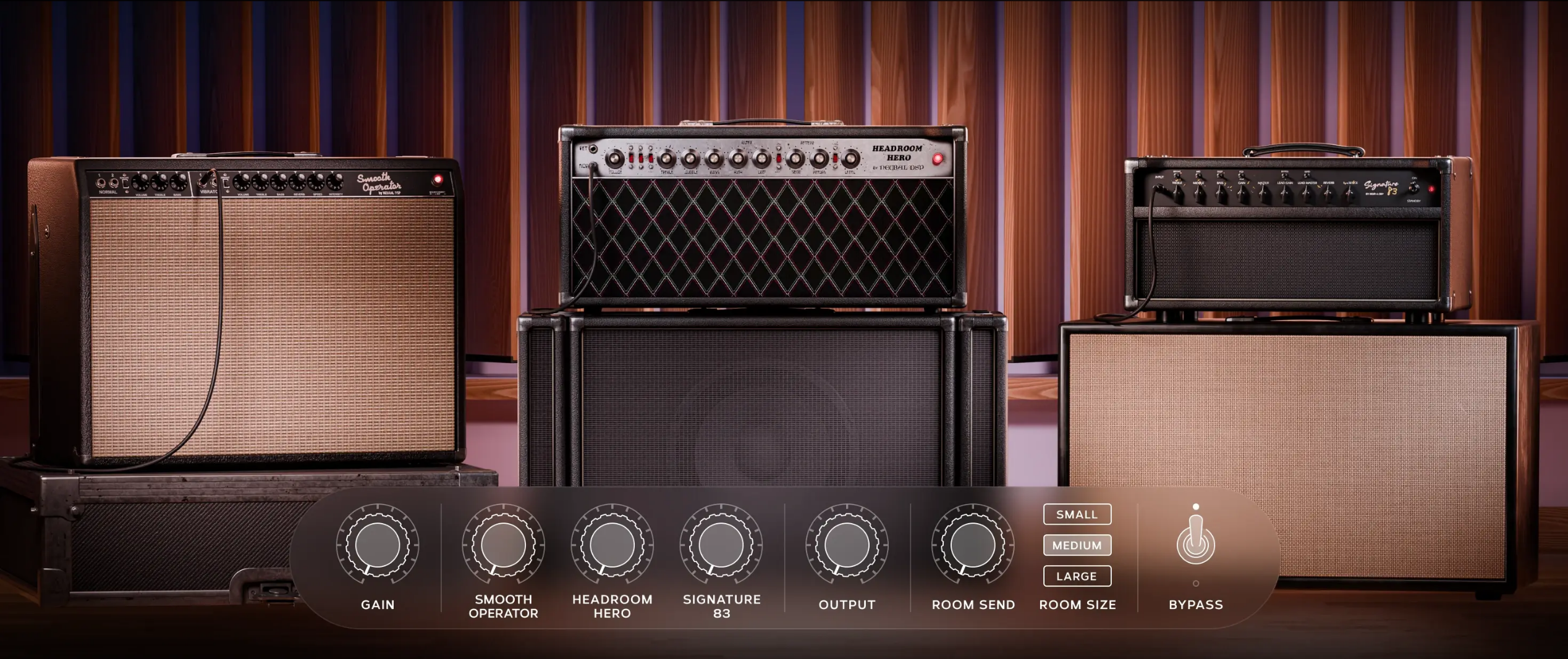
- Neural DSP plugins: As mentioned above, I record a wet track using the Quad Cortex’s effects and sims, plus a dry track. The dry track can then be used to augment or replace the wet track post during mixing. With more and more plugins being offered as QC-compatible, this offers a robust approach.
- Line 6 Helix Native: Before my Quad Cortex, I had a Helix. Line 6 Helix Native offers similar benefits to the above.
- Universal Audio Paradise Guitar Studio: Sounds just as good as Neural, and sometimes I appreciate the simplicity and classic take on the amps and effects.
- Two Notes Genome: Similar approach to Paradise Guitar Studio, also sounds great.
- Toontrack EZdrummer: Fantastic drum machine, easy to use.
- Universal Audio Pure Plate Reverb: When I need more reverb, it works great.
- Universal Audio Galaxy Tape Echo: When I need more spacy delay, it works great.
- Strymon BigSky: I have and love the physical pedal, and the plugin sounds nearly the same.
- Strymon El Capistan: I have and love the physical pedal, and the plugin sounds nearly the same.
- Universal Audio Manley Massive Passive EQ: Easy to use and fantastic EQ.
- Universal Audio 1176 Classic Limiter Collection: My go-to compressors on tracks.
- Universal Audio Ampex ATR-102 Mastering Tape Recorder: My go-to on the master track.
- Universal Audio Manley Variable Mu Limiter Compressor: My other go-to on the master track.
- FabFilter Pro-L 2: Mastering limiter, made easy.
